

In recognition of National AccessAbility Week, we invite you to explore and share accessibility and inclusion resources available through The Consortium.
These professional learning resources are thoughtfully curated to support educators in fostering barrier-free environments that honour the needs, strengths, and contributions of individuals of all abilities. This is a meaningful opportunity to deepen your commitment to inclusive practices and ensure every learner feels valued and fully supported.
Our Top 8 FREE AccessAbility Apps for Students:
- Seeing AI (by Microsoft) – Developed as a completely free tool for blind and low-vision learners, Seeing AI uses a device’s camera to turn the visual world into an audible classroom experience.
- Live Transcribe (by Google) – Built in collaboration with Gallaudet University, this app provides instantaneous, real-time speech-to-text dictation for deaf or hard-of-hearing students during live classroom lectures.
- Microsoft Immersive Reader (K-12) – Available entirely for free across major web browsers (via Microsoft Edge or free Office.com accounts), Immersive Reader strips away digital clutter to enhance focus.
- Khan Academy (6-12)/Khan Academy Kids (K-5) – Free and intuitive app, designed for inclusion. Offers interactive lessons with audio, animations, and simplified controls, accessible via screen reader.
- Equatio (Math) – Equatio is a digital math tool that removes barriers to mathematical expression. Speak, type or draw math problems with ease and make math accessible for every learner.
- EPIC! (Literacy) – Our fun, safe reading app is designed to help kids discover the joy of books and build the literacy skills they need to succeed in school and beyond. With a growing library of 40,000+ high-quality books, audiobooks and learning videos from more than 250 publishers, Epic keeps kids reading, exploring and coming back for more.
- GoodNotes (7-12) – Taking notes is an essential part of any college course, and GoodNotes has been my go-to digital notebook since freshman year. This note-taking app allows you to:Create digital notebooks for different subjects
- FocusPomo (Time Management/Focus) (7-12) – If you struggle with distractions while studying, FocusPomo is a great solution. This app is based on the Pomodoro Technique, which helps improve focus and time management by breaking study sessions into manageable intervals.
Tier One Top Four (or More) – Creating Inclusive Learning Spaces:
Essential Practices for Inclusion
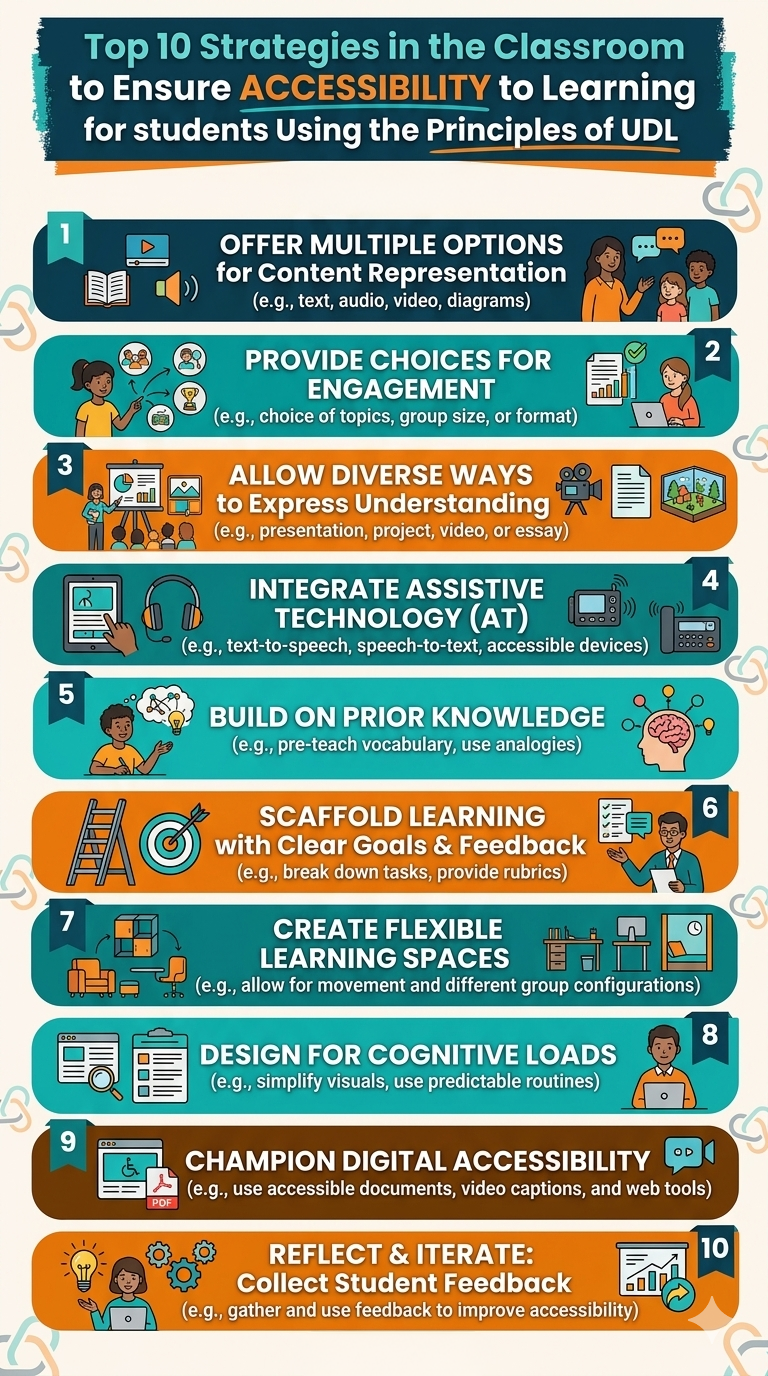
- As a follow up to our Taking Inclusion to the Next Level Series, we crafted a Top 4 list of strategies that teachers can use in all grades to promote inclusion and success for all.
- The slides from that session (see below) offer additional Tier One strategies that can help contribute to an inclusive learning space.
Download Resource Files
Working with Specialists – OT, PT, SLP, etc.
- As a follow up to our Taking Inclusion to the Next Level Series, we crafted a Top 3 list of strategies for educators to use to maximize efficiency when working with specialists.
Tiers of Intervention – What is it?
- Wondering exactly the tiers of intervention/instructional strategies might be? This video can help you out!
Differentiated Instruction in ELAL with Learning Continuums
- Wondering how to plan for the students in your class who understand at different rates and varied levels? This template, based on Shelley Moore’s Learning Continuum will help you plan based on an Understanding in the ELAL curriculum. With this planning, every student will have an accessible entry point and an opportunity to extend their learning. The samples provided suggest ways of planning for Comprehension and Text Forms and Structures.